Using AI to write Vinted listings: what works
AI can write your titles and descriptions from a photo and tidy the picture too. Here's where it saves real time, where you still need to check, and how to use it well.
Updated 2 min read
The short answer
AI can now read an item from a photo and draft the title, description, starting price and hashtags, and clean up the photo, which cuts most of the admin out of listing. Treat it as a first draft: measure the item yourself, point out flaws, check the size and colour, and compare prices on anything valuable. A dedicated app like FlipFast does this in one step instead of copying prompts into a general chatbot.

On this page
Most of the time it takes to sell on Vinted goes on admin: writing the title, describing the condition, guessing a price and redoing photos. AI is now good at exactly that kind of repetitive work, as long as you treat it as a first draft.
What AI does well
- Reading the item from a photo. Brand from a visible label, item type, colour, style and likely category.
- Writing a searchable title. Brand, item, detail, in the order buyers search.
- Drafting the description. Condition, style notes and fabric in a clear structure.
- Suggesting a starting price for common high-street items.
- Cleaning up photos. Smoothing creases, evening out lighting and swapping a cluttered background for a clean one.
What you still need to check
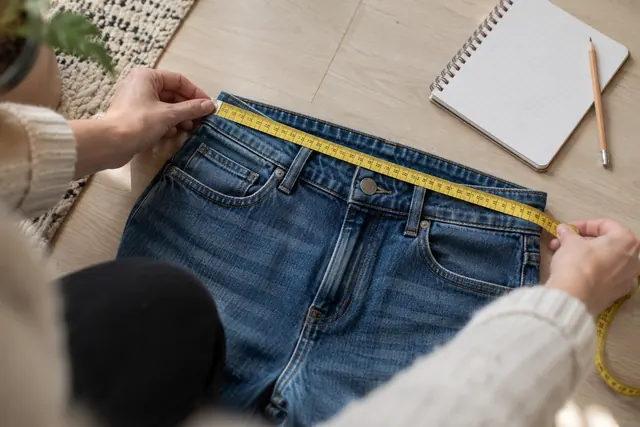
- Measurements. No photo can tell you that the pit-to-pit is 54cm. Measure it and add it.
- Flaws. Small marks, bobbling and pulls are easy to miss in a photo. Say where they are.
- Size and fit. Check the label, and say if it runs small or large.
- Price on anything valuable. For designer or rare items, compare with sold listings yourself.
- Colour. Make sure the edited photo still matches the real thing.
Why general chatbots are clunky for this
You can paste a photo into a general AI chatbot and ask for a listing. It works, but you end up typing the same instructions every time, copying text across apps and doing the photos somewhere else. When you're listing twenty things, the copying and switching adds up.
How FlipFast is set up for it
FlipFast was built for exactly this job on iPhone:
- Take or pick the photos for an item.
- Tap Generate. It writes the title, description, category, condition, colours, price and hashtags, and can fix the photos at the same time.
- Check it, change anything you like, then tap a field to copy it into Vinted or Depop.
Drafts save as you go, so you can photograph a batch in one sitting and post them through the week. It also keeps track of what you've listed and sold, works out your profit if you add what you paid, and flags listings that have been sitting unsold.
Using AI without your listings sounding like AI
- Add one real detail per listing: a measurement, how it fits or why you're selling.
- Cut anything you wouldn't say out loud, like “elevate your wardrobe”.
- Keep hashtags relevant, not long.
- Be specific about condition. “Worn twice, no marks” beats “excellent pre-loved condition”.
Used like this, AI handles the boring parts and you add the twenty seconds of detail that actually sells the item.
Quick answers
Not through any official route. Vinted doesn't offer a public listing API, so AI tools prepare the listing and you paste it into the Vinted app. Be wary of tools that ask for your Vinted password.